Chatbot CRM Integration: Connect Your Chat to Your Sales Pipeline
Key Takeaways
- Chatbot CRM integration means every conversation automatically creates or updates a contact in your sales pipeline, with qualification data, conversation transcript, and next steps attached.
- Without CRM integration, 30-40% of chatbot-captured leads fall through the cracks because no one follows up within the critical first 5 minutes.
- The most valuable chatbot-to-CRM data points are: lead score, qualification answers (budget, timeline, need), conversation summary, and booked appointment time.
- Appointment booking via chatbot reduces lead-to-meeting time from an average of 3-5 days (email back-and-forth) to under 2 minutes (instant calendar booking).
Your chatbot captures 50 leads per month. Your CRM has 12. Where did the other 38 go?
This is the gap that chatbot CRM integration is designed to close. Without a direct pipeline between your chatbot and your CRM, leads are typed into a chat interface, sent to an email inbox, and manually entered into your sales system, if anyone remembers to do it. Most do not. The leads that fall through the cracks are not low-quality leads that you would have filtered out anyway. They are buyers who raised their hand, got no follow-up within the critical first five minutes, and moved on.
This guide explains exactly how chatbot CRM integration works, what data should flow between systems, how to connect the major CRMs, and how appointment booking fits into the picture.
TL;DR: Chatbot CRM integration automatically sends every qualified lead from your website chat into your sales pipeline with conversation context, qualification data, and booked appointments. Without it, chatbot leads are just contact forms with extra steps.
What Is Chatbot CRM Integration?
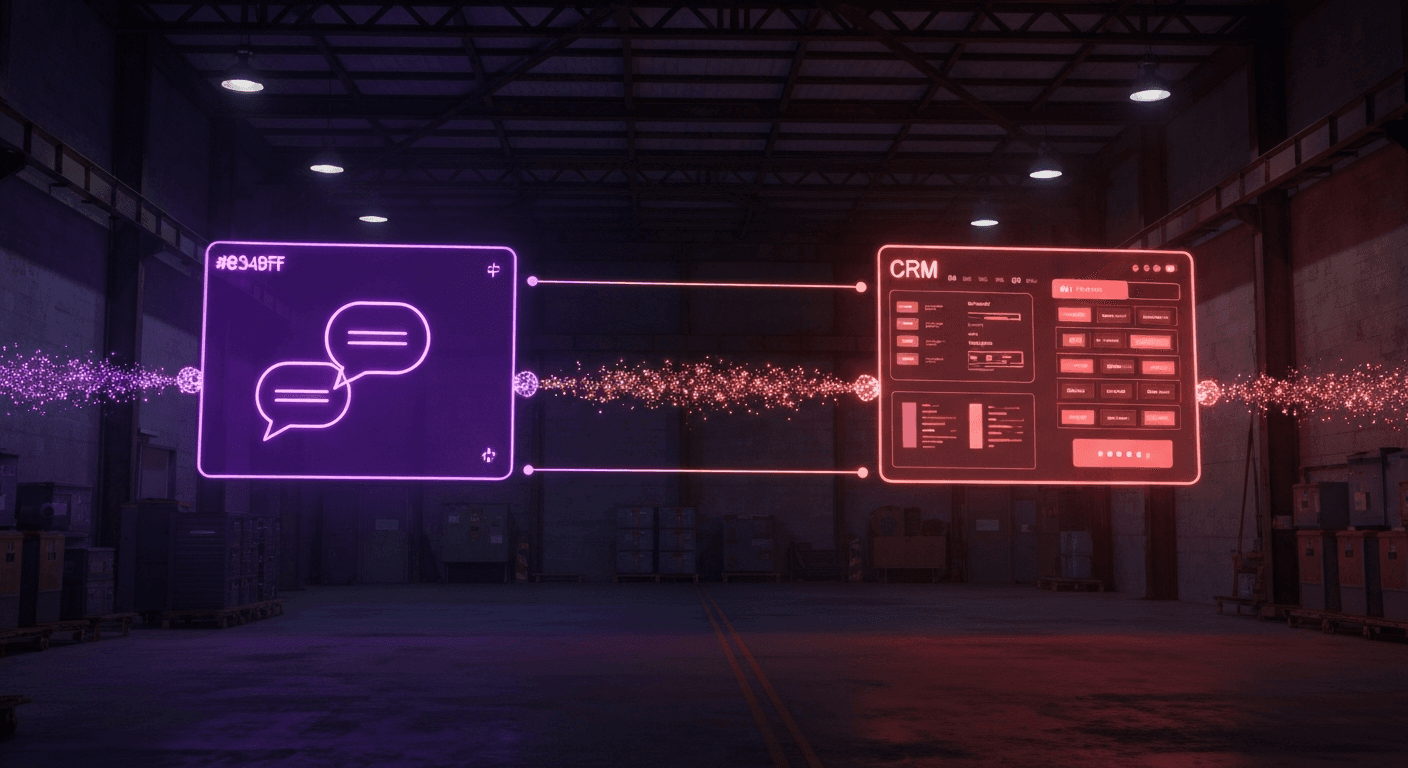
Chatbot CRM integration is the automated connection between a website chatbot and a customer relationship management system like HubSpot, Salesforce, or Pipedrive. When a visitor starts a conversation, the integration creates or updates a contact record in the CRM in real time, without any manual action from a sales rep or admin.
The data flow looks like this:
- Visitor lands on your website and opens the chat widget
- Chatbot engages the visitor, asks qualification questions, and captures contact details
- Integration layer (native connector or API) fires when the conversation ends or hits a qualification threshold
- CRM receives a new contact with all captured data attached: name, email, phone, company, qualification answers, lead score, and conversation transcript
- Pipeline shows the new lead in the correct stage, assigned to the right rep, ready for follow-up
- Calendar (if appointment was booked) shows the confirmed meeting with the conversation summary attached
Every step is automated. No copy-paste, no manual CRM entry, no leads lost in email.
Why Does Chatbot CRM Integration Matter for Sales Teams?
Without integration, a chatbot conversation ends at the end of the conversation. The transcript sits in a dashboard that no one checks. The lead exists nowhere in your sales pipeline. The rep who should follow up does not know the conversation happened.
Without CRM integration, 30-40% of chatbot-captured leads fall through the cracks because no one follows up within the critical first 5 minutes. After five minutes, the probability of reaching a lead drops by 400%. After 24 hours, it drops to near zero.
With chatbot CRM integration, the opposite happens:
- Automatic contact creation. Every qualified conversation creates a CRM contact the moment the conversation ends. No rep action required.
- Qualification context attached. The rep opens the contact and already knows what the buyer needs, what their budget is, and what timeline they are working with. The first call is not an intake call. It is a sales call.
- Instant assignment. The lead routes to the right rep based on territory, product line, or deal size. Not to a general inbox that gets checked twice a day.
- Follow-up triggers. CRM workflow automations fire as soon as the contact is created. The buyer gets a follow-up email within seconds of ending the chat.
The difference is not marginal. Teams with chatbot-to-CRM integration consistently report 2-3x higher lead-to-close conversion rates compared to manual processes, because speed and context compound. The rep knows who to call, knows what to say, and makes the call before the buyer has opened a competitor's website.
For a detailed look at how this affects lead conversion rates, see our guide on chatbot vs live chat for lead conversion.
What Data Should Flow from Chatbot to CRM?
Most teams get this wrong. They sync name and email and call it integrated. That creates a CRM full of contacts with no context, the same problem as a cold lead list, just more recent.
The fields that make a chatbot lead actionable for sales:
Contact information
- First name, last name
- Email address
- Phone number
- Company name and website
Qualification answers
- Budget range (e.g., "$10K-$25K" not just "yes")
- Decision timeline (e.g., "within 30 days" not just "soon")
- Specific need or use case (verbatim from the conversation)
- Company size or relevant firmographic (headcount, fleet size, location count)
- Decision-maker status (are they the buyer, or influencing the buyer?)
Lead intelligence
- Lead score (calculated by the chatbot based on qualification answers)
- Chatbot-assigned pipeline stage (e.g., "Marketing Qualified" vs "Sales Ready")
- Conversation transcript or AI-generated summary
- Specific questions the buyer asked (reveals intent)
Attribution data
- Page URL where the conversation started
- UTM parameters (campaign, source, medium)
- Referrer URL
- Session count (first visit or returning?)
Next steps
- Booked appointment date and time (if applicable)
- Calendar link sent to buyer
- Follow-up task created for the rep
Syncing all of this versus just name and email is the difference between a rep who calls a warm lead ready to buy and a rep who calls a cold name with no context.
To see how lead qualification data improves conversion, read our AI lead qualification guide.
How to Integrate Your Chatbot with Popular CRMs
HubSpot
HubSpot offers the most seamless chatbot CRM integration path because it includes a native chatbot builder (HubSpot Conversations) built directly into the CRM. Every conversation automatically creates or updates a Contact record, logs the chat transcript to the contact timeline, and can trigger Workflow automations for follow-up emails, task creation, and deal creation.
Stay Ahead of the Curve
The dealers winning in 2026 all have one thing in common: speed.
For third-party AI chatbots connecting to HubSpot via API:
- Use the HubSpot Contacts API (
POST /crm/v3/objects/contacts) to create or update contacts. Useemailas the unique identifier to avoid duplicates. - Use the Deals API (
POST /crm/v3/objects/deals) to create a deal and associate it with the new contact. Map chatbot-captured data to HubSpot deal properties:amount,closedate,dealstage,pipeline. - Use the Engagements API to attach the conversation transcript as a note on the contact timeline.
- Trigger HubSpot Workflows using a Contact enrollment trigger on a custom property set by the chatbot (e.g.,
chatbot_qualified = true). This fires your existing nurture sequences immediately. - Set
hubspot_owner_idat contact creation to route the lead to the right rep automatically.
HubSpot's native chatbot supports basic decision-tree qualification. For complex AI-driven qualification, connecting an external AI chatbot via API gives full control over the conversation while keeping HubSpot as the CRM of record.
Salesforce
Salesforce chatbot CRM integration requires API configuration but offers the most powerful data model for complex sales organizations. Chatbot leads should map to the Lead object (not Contact) on first touch, then convert to Contact + Account + Opportunity when qualified.
Key integration points:
- Use the Salesforce REST API (
POST /services/data/vXX.0/sobjects/Lead/) to create leads. Required fields:LastName,Company,Email. Map qualification data to standard Lead fields:AnnualRevenue,NumberOfEmployees,LeadSource,Description. - Use a Custom Lead Field like
Chatbot_Lead_Score__cto capture the bot's qualification score. This enables Salesforce lead scoring rules and routing logic. - Attach the conversation transcript to the lead using the Note object or Task object with
ActivityType = Emailand the transcript in theDescriptionfield. - Set
OwnerIdat lead creation to bypass the default lead queue and assign directly. - Use Salesforce Flow to trigger post-creation automations: send to a nurture campaign, create a follow-up task, or convert to an Opportunity if score exceeds a threshold.
- If you use Einstein Lead Scoring, the enriched data from chatbot qualification feeds Einstein's model and improves score accuracy over time.
Salesforce does not have a native chatbot builder, so third-party AI chatbots are the standard approach. Platforms like Memox connect to Salesforce via the REST API and handle field mapping through configuration, not code.
Pipedrive
Pipedrive's data model centers on Deals rather than Leads, which maps well to chatbot-qualified conversations: a chat conversation is either a potential deal or it is not.
Integration approach:
- Use the Persons API to create the contact:
POST /api/v1/persons. Map name, email, and phone. Setorg_idif you can identify the company. - Create a Deal immediately:
POST /api/v1/deals. Link to the Person viaperson_id. Settitle(e.g., "Inbound Chat from [Company Name]"),pipeline_id,stage_id, andvalueif budget was captured. - Use Custom Fields on the Deal to store qualification answers. Create fields for budget range, timeline, specific need, which become filterable columns in Pipedrive's pipeline view.
- Attach the transcript as a Note via
POST /api/v1/noteswithdeal_idspecified. - Assign to a rep via
owner_idon the Deal object. - Alternatively, use Zapier's Pipedrive integration for no-code setup: trigger "Create Person" + "Create Deal" + "Create Note" from a chatbot webhook.
For teams using Pipedrive without a developer, Zapier handles the chatbot CRM integration with no custom code. The trade-off is latency (Zapier's free tier runs every 15 minutes; paid plans run every minute) and less control over field mapping.
Zoho CRM
Zoho offers two native paths for chatbot integration:
Zoho SalesIQ is Zoho's live chat and chatbot product with a built-in connector to Zoho CRM. Conversations automatically create Leads in Zoho CRM with transcript attached. For teams already in the Zoho ecosystem, this is the fastest chatbot CRM integration path.
Third-party chatbots via API or webhook:
- Use the Zoho CRM Leads API (
POST /crm/v2/Leads) to create records. Map standard fields:Last_Name,Email,Phone,Company,Lead_Source. - Use Zoho's Custom Fields for qualification data: create fields for chatbot score, budget, and timeline directly in the CRM field editor.
- Attach conversation notes via the Notes API on the Lead record.
- Use Zoho Flow (Zoho's native automation tool) or Zapier as the middleware layer between the chatbot webhook and Zoho's API.
- Freshsales (Freshworks CRM) follows a similar pattern and integrates well with chatbots via its REST API or Zapier.
Chatbot Appointment Booking: The Fastest Path to a Meeting
Appointment booking is where chatbot CRM integration pays off most visibly. The typical flow without integration: visitor chats, rep receives an email, rep emails back with availability, visitor responds, they go back and forth for three to five days before landing on a time. Chatbot appointment booking compresses that to under two minutes.
The integrated flow:
- Chatbot qualifies the lead during the conversation
- Once qualified, chatbot presents available time slots pulled from the rep's calendar
- Visitor selects a slot and confirms
- Chatbot creates the calendar event, sends confirmation emails to both parties, and pushes the appointment to the CRM
- Rep opens the CRM the next morning and sees a meeting already on the calendar with the conversation summary attached
The calendar tools that connect best with AI chatbots:
- Calendly: The most common choice. Chatbots embed Calendly's scheduling widget inline or link out to a booking page. Calendly fires a webhook on booking that can trigger CRM record creation or update.
- HubSpot Meetings: Native to HubSpot's CRM. Appointments created via HubSpot Meetings automatically log on the Contact and Deal timeline. Best choice for HubSpot users.
- Google Calendar: Usable via Google Calendar API for teams building custom integrations. Requires more engineering but works with any CRM.
- Cal.com: Open-source alternative to Calendly. Offers webhook-based integrations and works with HubSpot, Salesforce, and Pipedrive via Zapier or direct API.
For chatbot for appointment booking use cases, the key is that the chatbot should only offer booking after qualification, not at the start of the conversation. Offering a meeting before confirming fit wastes rep time on unqualified calls. The correct trigger: qualification score above threshold, or explicit buyer request for a meeting.
After booking, the CRM record should include: appointment date and time, meeting link (Zoom, Google Meet, or phone number), pre-meeting briefing with conversation summary, and a follow-up task reminder set for one hour before the meeting.
To understand how this fits into the broader lead qualification process, see our guide on best chatbot for lead generation.
Common Chatbot CRM Integration Mistakes
Getting chatbot CRM integration set up is straightforward. Getting it set up correctly takes another hour of thinking. These are the mistakes that cost teams the most leads:
Syncing every conversation, not just qualified leads. If your chatbot talks to 500 visitors per month and 200 are junk (competitors, job seekers, support inquiries), syncing all 500 pollutes your CRM and forces reps to filter the pipeline manually. Set a minimum qualification threshold before creating a CRM record. Segment by lead score: only send leads above a defined score to active pipeline stages.
Skipping conversation context. Creating a contact with name and email is not integration. It is data entry with extra steps. The qualification answers, lead score, and conversation transcript are what make the lead actionable. A rep who calls without context has to re-ask every question the chatbot already answered, which signals to the buyer that no one read their chat.
Missing source attribution. Without UTM parameters and page URL synced to the CRM, you cannot measure which campaigns or pages generate the most qualified chatbot leads. This makes it impossible to optimize ad spend or improve landing page conversion. Always sync utm_source, utm_medium, utm_campaign, and page_url as CRM fields.
No follow-up automation. Creating a CRM contact without triggering a follow-up workflow defeats the purpose. The first five minutes after a chat conversation are the highest-value window. Set up an immediate automated email triggered on CRM contact creation, then a rep task for a same-day call if lead score is above threshold.
Wrong pipeline stage at entry. Chatbot-qualified leads should enter the pipeline at a stage that reflects their qualification level, not at the beginning. A visitor who has confirmed budget, timeline, and need is not a raw "New Lead." They are "Sales Qualified" and should be worked accordingly. Map chatbot qualification scores to pipeline stages before go-live.
Not deduplicating against existing contacts. Returning visitors who chatted once before should update their existing CRM record, not create a second one. Use email as the unique identifier and set your chatbot CRM integration to upsert (update if exists, create if not) rather than always create.
For a full picture of how to maximize ROI from your chatbot investment, see our chatbot ROI calculator guide.
FAQ
What is chatbot CRM integration?
Chatbot CRM integration is the automated connection between a website chatbot and a customer relationship management system like HubSpot, Salesforce, or Pipedrive. When a visitor chats with the bot, the integration automatically creates a new contact in the CRM, attaches the conversation transcript, logs qualification data (budget, timeline, needs), and assigns the lead to the right sales rep. This eliminates manual data entry and ensures no lead is lost between chat and follow-up.
Which CRMs integrate with AI chatbots?
Most modern AI chatbots integrate with major CRM platforms. HubSpot, Salesforce, and Pipedrive offer the most robust chatbot integrations with native or API-based connections. Zoho CRM, Freshsales, and Monday Sales CRM also support chatbot integration through Zapier or direct API. Memox integrates natively with HubSpot and Salesforce, pushing qualified leads directly into the sales pipeline with conversation context and lead scoring data.
Can a chatbot book appointments directly into my calendar?
Yes. AI chatbots with appointment booking capability connect to calendar tools like Calendly, HubSpot Meetings, or Google Calendar. When the chatbot qualifies a lead, it offers available time slots from the sales rep's calendar and books the meeting instantly. The appointment appears in both the CRM and the rep's calendar with the conversation summary attached. This reduces lead-to-meeting time from days of email back-and-forth to under 2 minutes.
What data should flow from a chatbot to a CRM?
The most valuable data to sync from chatbot to CRM includes: contact details (name, email, phone, company), qualification answers (budget, timeline, need, company size), a calculated lead score, a conversation transcript or summary, source attribution (page URL, UTM parameters), and any booked appointment details. Syncing only name and email misses the context that makes a lead actionable for sales.
Does chatbot CRM integration require custom development?
Not always. HubSpot offers a native chatbot builder with automatic CRM sync. Salesforce connects via API or third-party middleware like MuleSoft. Pipedrive and Zoho both support chatbot integration via Zapier or direct webhook. AI chatbot platforms like Memox include built-in CRM connectors for HubSpot and Salesforce, so integration is configuration, not custom engineering.
Bottom Line
A chatbot without CRM integration is a fancy contact form. It captures attention, collects information, and routes it nowhere actionable. The leads pile up in a dashboard no one checks, reps miss the five-minute follow-up window, and conversion rates stay flat.
Chatbot CRM integration changes the equation. Every qualified conversation creates a CRM contact in real time, with context attached, assigned to the right rep, with a follow-up task already queued. If the buyer booked an appointment, it is already on the calendar before the chat window closes.
The implementation is not complex. Pick your CRM, map the fields that matter, set your qualification threshold, and configure your follow-up automation. The 38 leads that fell through last month will be in your pipeline next month.
See how Memox connects to your CRM and starts capturing leads today. Or explore the Memox chatbot to see how AI qualification and CRM sync work together.
Stay Ahead of the Curve
The dealers winning in 2026 all have one thing in common: speed.
Frequently Asked Questions
Chatbot CRM integration is the automated connection between a website chatbot and a customer relationship management system like HubSpot, Salesforce, or Pipedrive. When a visitor chats with the bot, the integration automatically creates a new contact in the CRM, attaches the conversation transcript, logs qualification data (budget, timeline, needs), and assigns the lead to the right sales rep. This eliminates manual data entry and ensures no lead is lost between chat and follow-up.
Most modern AI chatbots integrate with major CRM platforms. HubSpot, Salesforce, and Pipedrive offer the most robust chatbot integrations with native or API-based connections. Zoho CRM, Freshsales, and Monday Sales CRM also support chatbot integration through Zapier or direct API. Memox integrates natively with HubSpot and Salesforce, pushing qualified leads directly into the sales pipeline with conversation context and lead scoring data.
Yes. AI chatbots with appointment booking capability connect to calendar tools like Calendly, HubSpot Meetings, or Google Calendar. When the chatbot qualifies a lead, it offers available time slots from the sales rep's calendar and books the meeting instantly. The appointment appears in both the CRM and the rep's calendar with the conversation summary attached. This reduces lead-to-meeting time from days of email back-and-forth to under 2 minutes.
The most valuable data to sync from chatbot to CRM includes: contact details (name, email, phone, company), qualification answers (budget, timeline, need, company size), a calculated lead score, a conversation transcript or summary, source attribution (page URL, UTM parameters), and any booked appointment details. Syncing only name and email misses the context that makes a lead actionable for sales.
Not always. HubSpot offers a native chatbot builder with automatic CRM sync. Salesforce connects via API or third-party middleware like MuleSoft. Pipedrive and Zoho both support chatbot integration via Zapier or direct webhook. AI chatbot platforms like Memox include built-in CRM connectors for HubSpot and Salesforce, so integration is configuration, not custom engineering.